
Check the Box and Its Connections
Before deciding what to do with an old TV box, establish what type of device it is and what parts came with it. Labels and connection points can distinguish a cable or satellite receiver from a streaming device. A careful external inspection also helps reveal whether the box and its accessories appear suitable for further checks. Keep the casing closed throughout; identification and visual inspection do not require access to internal components.
Identify the device
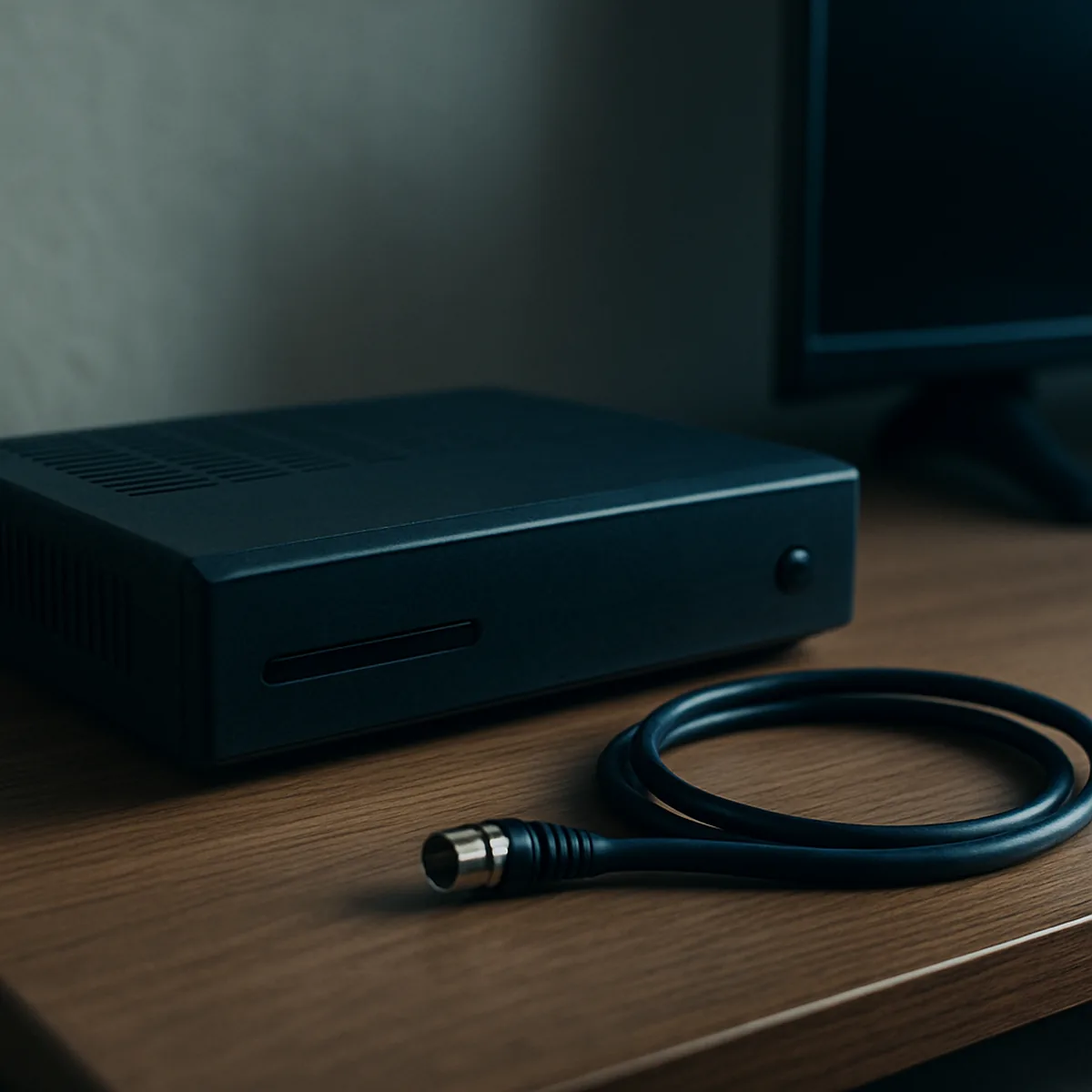
Read the label on the underside or rear panel, noting the model name, model number, and any input or output markings. Then compare the ports and included accessories to identify the device category and what it may connect to.
- A cable set-top box commonly has a coaxial connection for the incoming cable signal and HDMI or another video output for a television.
- A satellite receiver may have a coaxial input marked for a satellite dish, alongside HDMI and sometimes a digital audio output.
- A streaming box usually connects to the television by HDMI and may include Ethernet, USB, or a wireless-network reference on its label.
- Check the power adapter label for its output voltage and current, and note whether the adapter is separate or built into the box.
- Record accessories such as a remote control, power lead, HDMI cable, or antenna lead; their presence can help establish what connections are available.
Port shapes and printed labels are more useful than appearance alone: several types of box use similar compact black casings. Note any unfamiliar connector or missing adapter rather than assuming that a cable will fit; these details help determine whether the device can be checked further.
Look for visible damage
With the box switched off and unplugged, inspect its exterior without removing screws or opening the casing. Check the case for cracks, dents, warping, or gaps around the seams; damage near a port can make a plug unstable. Look inside each visible port for bent or obstructed contacts, and check that sockets do not appear loose.
Examine the power plug and cable along their full length for fraying, cuts, crushed sections, exposed wires, or a bent plug. A damaged lead or a plug that does not seat firmly makes practical reuse doubtful. Missing items such as the correct power adapter or remote may also leave the box difficult to test or operate. Compare the available ports and accessories with the connections required by the intended setup; a sound-looking box may still be unsuitable if an essential connection is absent.
If the casing, plug, ports, and cables look intact and the needed accessories are present, proceed to further checks. Clear damage or an essential missing part is a reason to pause rather than assume reuse is practical.
Decide Whether to Keep or Reuse It
An old TV box is worth keeping only if it can still perform a useful task with the television, network and service available to you. Start by matching its outputs and power requirements to the equipment you already have. Then confirm that the function you want does not depend on a service or provider feature that has ended or is unavailable. A working box may also suit another person, provided its condition and compatibility are clear.
Check compatibility
Compare the box with the equipment you plan to use it with, rather than relying on its age or appearance. Check the TV’s available inputs, the box’s outputs and the power-supply requirements; then identify the specific function you expect it to perform. A matching connector alone does not prove that a service or feature will still work.
| Check | Concrete comparison | Decision signal |
|---|---|---|
| Video connection | HDMI output on the box and HDMI input on the TV; older equipment may use composite video through yellow RCA connectors. | A matching input and output make a direct connection possible; an adapter may not convert every signal or preserve every feature. |
| Power supply | Compare the adapter’s output voltage, connector and polarity with the box’s markings; its current rating should meet the device’s stated requirement. | Use only a supply that matches the device specifications, not one selected just because the plug fits. |
| Network connection | Check whether the intended task requires Ethernet or Wi-Fi, and whether the box has the needed connection method. | A network connection is useful only if the device can still reach the service or function you intend to use. |
| Service and features | Check support for the exact model and provider, including whether required account access or activation remains available. | Do not assume a streaming, recording or provider feature continues to work without confirming it for that device. |
Test the intended setup with the equipment and connection you actually have. For example, an HDMI-equipped box may display a menu on a compatible TV while its provider-dependent channels or recording functions remain unavailable. Similarly, a USB port does not by itself mean the box can play files or accept an accessory; that capability depends on the model’s software and support.
Keep the box if the useful function works reliably with compatible equipment and available service access. If no intended task passes those checks, keeping it for possible future use is less practical than considering another route.
Consider a safe handover
A working box may be suitable for another user when its essential accessories are included and the recipient has compatible equipment and a reason to use that model. A power adapter is essential if the box cannot operate without it; include a remote only if one is available and needed for ordinary control. Do not describe the device as ready for a particular provider or streaming service unless support for the exact model has been confirmed.
Be specific about its condition: say whether it powers on, whether you tested its intended function, and which connections and accessories are included. Disclose limitations such as a missing remote, a required wired network connection or a service feature you could not verify. Avoid promising that an older box will receive future updates or remain compatible with a provider’s systems.
Let the recipient check that the box connects to their TV and that the intended function is available through their own equipment and service arrangement. A handover makes sense when those checks succeed and the device is useful to them; otherwise, keep it only if it still serves a practical purpose for you.
Prepare the Box for Its Next Route
A few preparation steps can make an old TV box easier to hand over for reuse or send for recycling. Switch it off and separate its power supply and cables before sorting the equipment. Check the instructions for the specific device before changing account settings or attempting a reset. Completing these checks helps ensure the box and its accessories are ready for their next route.
Disconnect accessories
Switch the box off, then unplug it from the wall before disconnecting cables or its power supply. Keep reusable accessories together only when they are intended to go with the box.
- Remove the power adapter from the outlet and the box; keep it with the device for reuse if it is the correct adapter.
- Disconnect HDMI, coaxial, Ethernet and USB cables by gripping their plugs rather than pulling on the cords.
- For a reuse handover, include only accessories that work with the box and that the recipient has agreed to take.
- For recycling, separate loose cables and adapters from the box and sort them according to local electronics collection rules.
- Keep remote controls or other accessories with a reuse handover when they belong to the device; otherwise, check how each item is collected.
A quick check that no cable remains attached makes packing and collection simpler.
Check account and data guidance
Before handing over or recycling the box, consult the instructions from its manufacturer or service provider. Look for guidance on account details, personal information, reset options and equipment returns, since available steps can differ between models and providers.
If the instructions describe a reset or sign-out process for your exact box, follow those documented steps and check what they erase. A reset may affect saved settings or locally stored information, so do not assume that every box has the same menu, button sequence or data storage. If the documentation does not confirm a reset option, do not try an unverified procedure; ask the provider or manufacturer how to remove personal data from a TV box.
Read any return requirements before packing the device, including whether specific accessories must accompany it and how the box should be prepared. Keep a note of completed steps if you need to track what has been changed. Follow the instructions for that particular device, then finish the documented account and data checks before handover or collection.
Find a Suitable Reuse or Recycling Route
A suitable route depends on what your local council currently accepts and how it collects electrical equipment. Check the council’s latest guidance before taking an old TV box to a site or placing it out for collection. Device or provider instructions may also specify a return route or separate handling requirements. Confirm both sets of details before choosing reuse or electronic waste recycling.
Check local collection rules
Search your council’s current waste guidance for electrical equipment, small electrical items or set-top boxes. Check whether the exact type of box is accepted: councils may list cable, satellite or streaming devices separately, or may not mention them by name. If the category is unclear, contact the council’s waste service and describe the device rather than assuming it counts as accepted household recycling.
Confirm where it can be taken, such as a household recycling centre or a designated small-electricals collection point, and check the address and opening arrangements before travelling. Some locations require an appointment, proof of local residency or use of a particular entrance; others accept electrical items only through a specific collection service. If kerbside collection is available, verify which day or booking process applies and whether the box must be placed in a separate container.
Rules can vary between neighbouring council areas and change over time, so use guidance that applies to your current address and check it close to the planned collection or drop-off. Look for restrictions on item types, quantities and accompanying accessories rather than relying on general advice about recycling old electronics. If the council cannot confirm acceptance, ask for an approved alternative route before leaving the box at a site or putting it out for collection.
Follow item-specific instructions
Check the device paperwork, on-screen support information or the relevant service provider’s instructions for any model-specific return or handling requirements. These may clarify whether the box is eligible for return, whether a power supply or other accessory must be handled separately, or whether a designated collection route is available. Do not assume that a return option applies to every model or account.
Compare those details with the council’s current rules for the collection or drop-off route you plan to use. A provider’s return instructions do not confirm that a council site accepts the item, and local acceptance does not establish that a separate return scheme is available. If the instructions are unclear or appear inconsistent, confirm the device requirement with the provider and the collection requirement with the council before handing it over.
Choose a confirmed reuse route when a recipient has agreed to accept the box; otherwise, use a recycling route the local council confirms it accepts.